AEC Tech
Bluebeam Max is Out! Now With AI, How will it Change AEC?
In the architecture, engineering, and construction (AEC) world, managing project documents has historically meant dealing with massive PDF sets, endless manual tracking, and disjointed communication.
Bluebeam Max completely changes that equation. Rather than replacing the reliable foundation of Bluebeam Revu, this premium subscription tier acts as an AI-powered engine built right on top of it. Leveraging advanced artificial intelligence and the industry-standard Model Context Protocol (MCP), Bluebeam Max transforms static drawings into dynamic, interactive data centers.
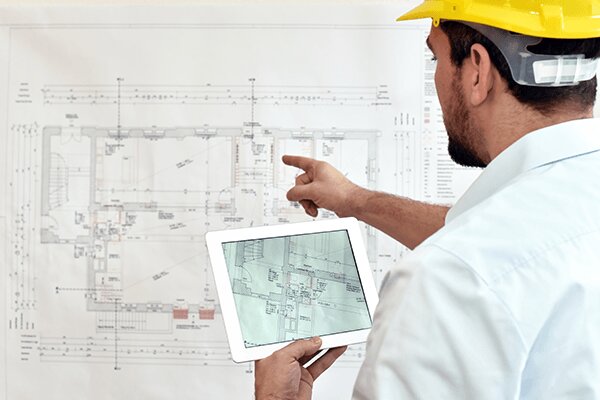
Here is a breakdown of what Bluebeam Max can do to supercharge your AEC workflows.
1. Natural Language Interaction: Talk to Your Drawings
The headlining feature of Bluebeam Max is its direct AI integration (initially partnered with Anthropic's Claude). Instead of manually searching through multi-page layouts or executing tedious manual counts, you can type natural-language prompts directly into Revu.
Instant Estimates: Ask commands like "Count all electrical outlets on this sheet" or "Mark all door openings," and the AI will update your Markups List with accurate counts in seconds.
Data Aggregation: You can prompt the tool to "Summarize all open markups in this project" or extract complex submittal requirements by CSI division without manual data entry.
2. Catch Errors Early with Smart Review & Smart Overlay
Rework accounts for a massive chunk of wasted capital in construction. Bluebeam Max introduces a pair of intelligent quality assurance eyes to catch design gaps before construction begins.
Smart Review
This feature scans complex project documents for missing details, scope gaps, and technical discrepancies. Instead of a manual page-by-page look, it surfaces these anomalies as actionable, trackable dashboards and automated AI markups.
Smart Overlay
Tracking revisions across different design phases or engineering disciplines can be incredibly frustrating, especially when drawing scales don't match. Smart Overlay uses AI to automatically align and visually detect changes across varying phases and disciplines, saving teams hours of manual verification.
3. Stitching: One Continuous Big Picture
Large infrastructure, campus-scale, or multi-wing projects are frequently chopped into dozens of individual sheets. Max introduces Stitching, an automated tool that weaves disjointed drawings from different parts of a project into a single, continuous, navigable view. If you are tracking a thousand-foot utility trench, you no longer have to jump between 12 different PDFs.
4. Eliminate Repetition with Magic Markups
Manual takeoffs and repetitive annotations are a massive time-sink. Bluebeam Max upgrades the familiar toolsets with "Magic" markup commands designed to mimic CAD-level precision with zero redrawing:
Duplicate as: Take a measured shape and duplicate it instantly across different material types.
Convert to & Offset: Rapidly adjust and replicate existing annotations to fit geometric changes across pages with minimal clicks.
5. Bridging the Gap: Connected Studio Sessions with Revit
Historically, a massive wall has existed between 2D PDF reviews and 3D BIM coordination. Bluebeam Max knocks that wall down via Connected Studio Sessions with Revit.
When a contractor or field reviewer marks up a 2D PDF sheet in a Connected Session, those markups automatically link back to the exact corresponding 3D view and structural element inside Autodesk Revit. Design teams can see field updates in context, while field teams can continue utilizing the lightweight, straightforward PDF workspace they know best.
The Takeaway
Bluebeam Max shifts the paradigm from passive viewing to predictive, automated document management. By automating the busywork, aligning the field with the design studio, and surfacing hidden errors, it ensures that project teams spend less time managing files and more time driving actual project outcomes.
Bluebeam Max | Supercharge the way you build is an official look at how these AI tools directly interface with construction documents in real-world environments.
